# 台灣貨幣存款

**法定貨幣存款步驟：**

1.在 XYes 頁面右上角導航到「錢包」，並點擊它。

<figure><img src="/files/zj3l93ys1pe4aj1SstpK" alt=""><figcaption></figcaption></figure>

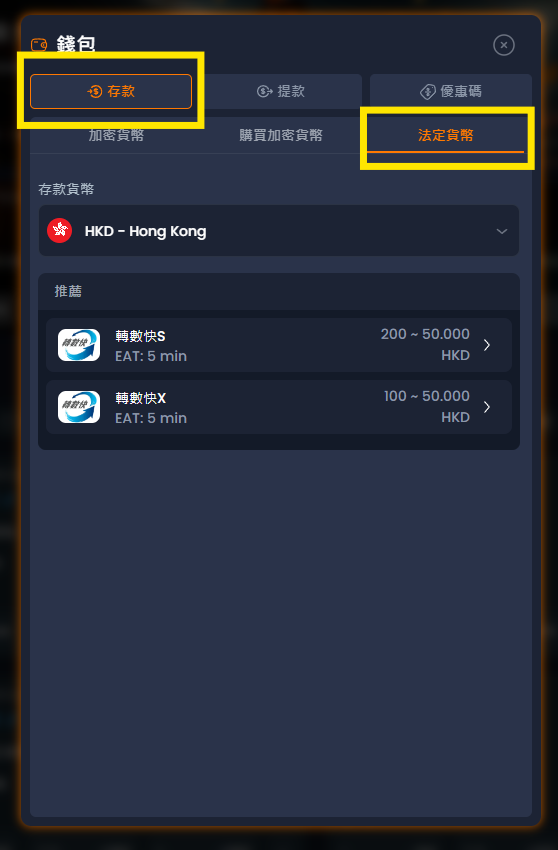
2.錢包頁面將打開；在這裡，點擊「存款」選項，並選擇法定貨幣。

<figure><img src="/files/kBmX0TI09HTwnXKUwkka" alt=""><figcaption></figcaption></figure>

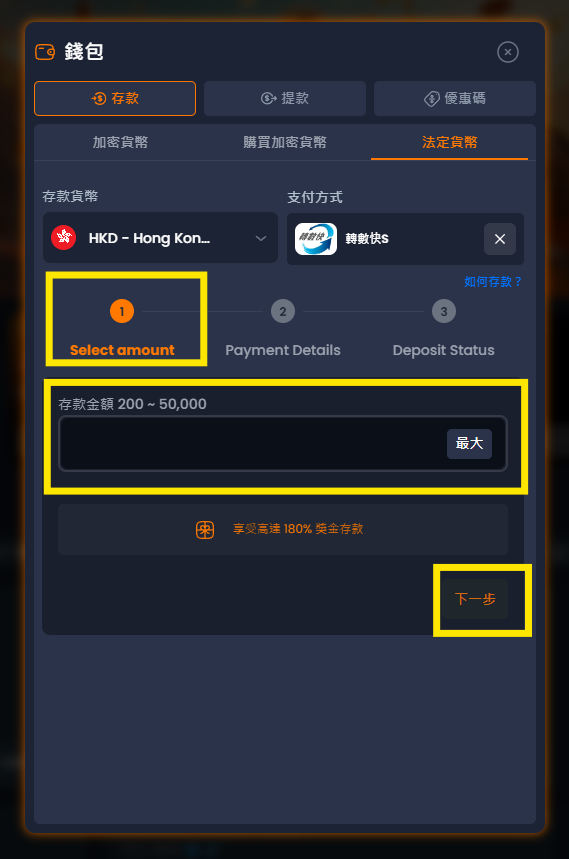
3.選擇您希望使用的法定貨幣，并輸入存款金額和一切系統要求的訊息，然後點擊"下一步"

<figure><img src="/files/CcfAhK6Ogg9uAhKkOoEj" alt=""><figcaption></figcaption></figure>

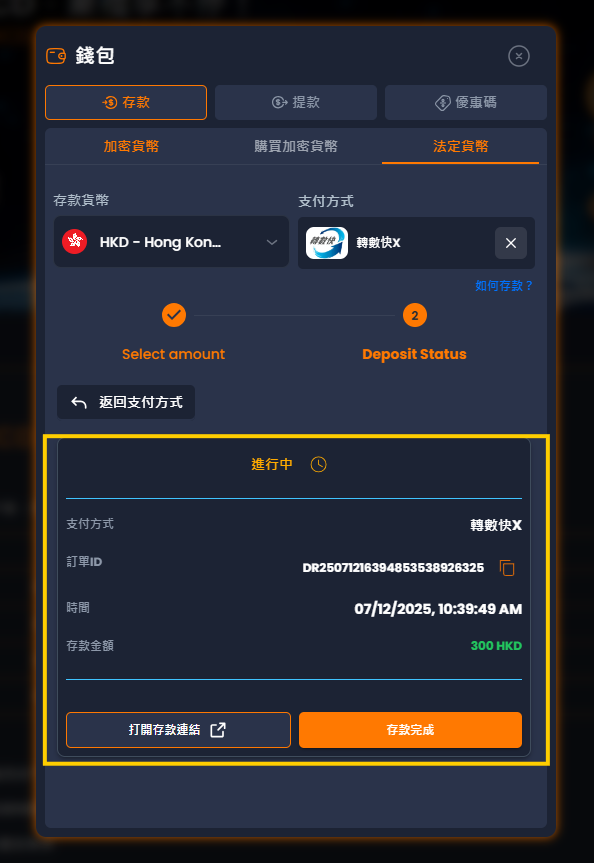
4.系統會產生一個收款帳戶號碼和收款人姓名，您到你銀行系統的APP向這個帳戶存入收款頁面顯示的準確數量（包括小數點），然後點擊「完成存款」。

<figure><img src="/files/Slz5oq6KODFex1frLoXp" alt=""><figcaption></figcaption></figure>


---

# Agent Instructions: Querying This Documentation

If you need additional information that is not directly available in this page, you can query the documentation dynamically by asking a question.

Perform an HTTP GET request on the current page URL with the `ask` query parameter:

```
GET https://docs.xyes.com/chinese/zhang-hao/cun-kuan/tai-wan-huo-bi-cun-kuan.md?ask=<question>
```

The question should be specific, self-contained, and written in natural language.
The response will contain a direct answer to the question and relevant excerpts and sources from the documentation.

Use this mechanism when the answer is not explicitly present in the current page, you need clarification or additional context, or you want to retrieve related documentation sections.